
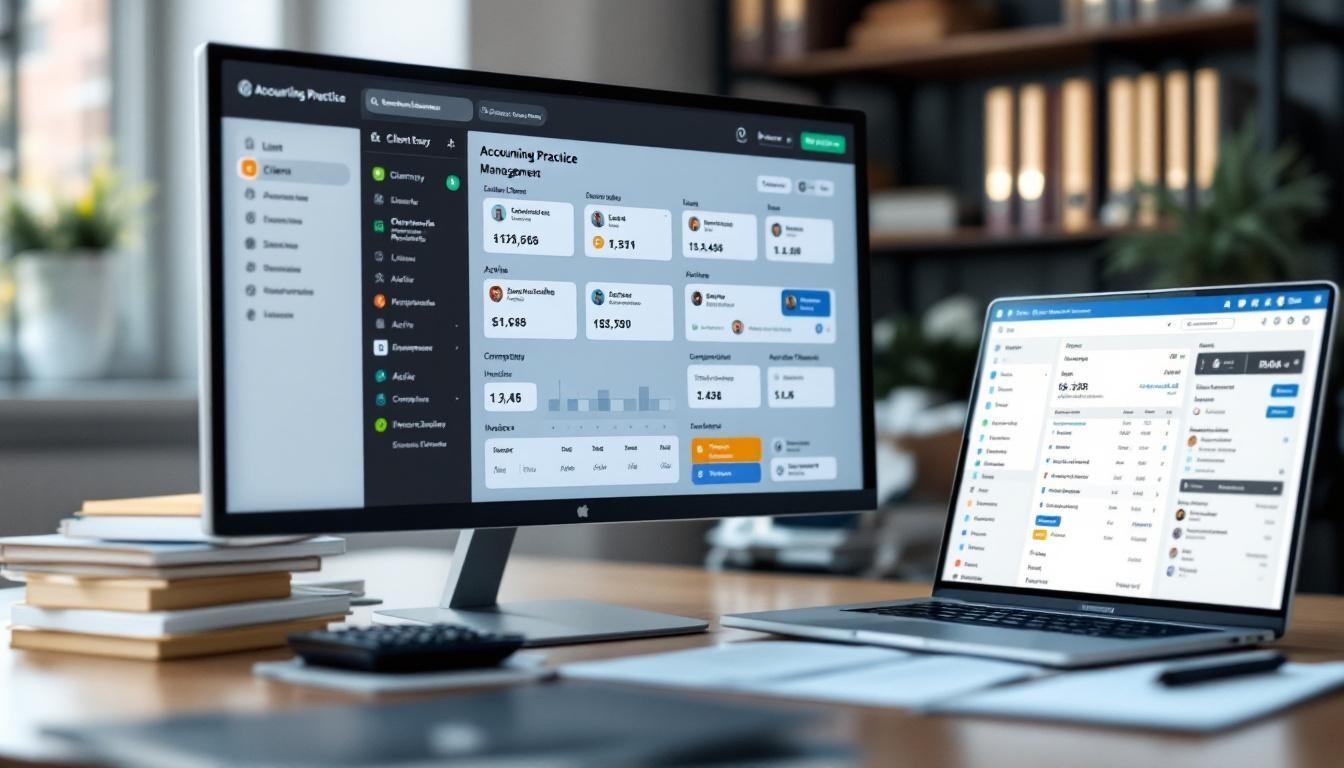
Accounting practice management software has become the backbone of modern firms. The right platform can cut administrative overhead, streamline client work, and free your team to focus on billable hours.
At Cajabra, LLC, we've reviewed the leading solutions to help you find the best fit for your firm's size, budget, and workflow. This guide walks you through what matters most when choosing software that actually works for your practice.
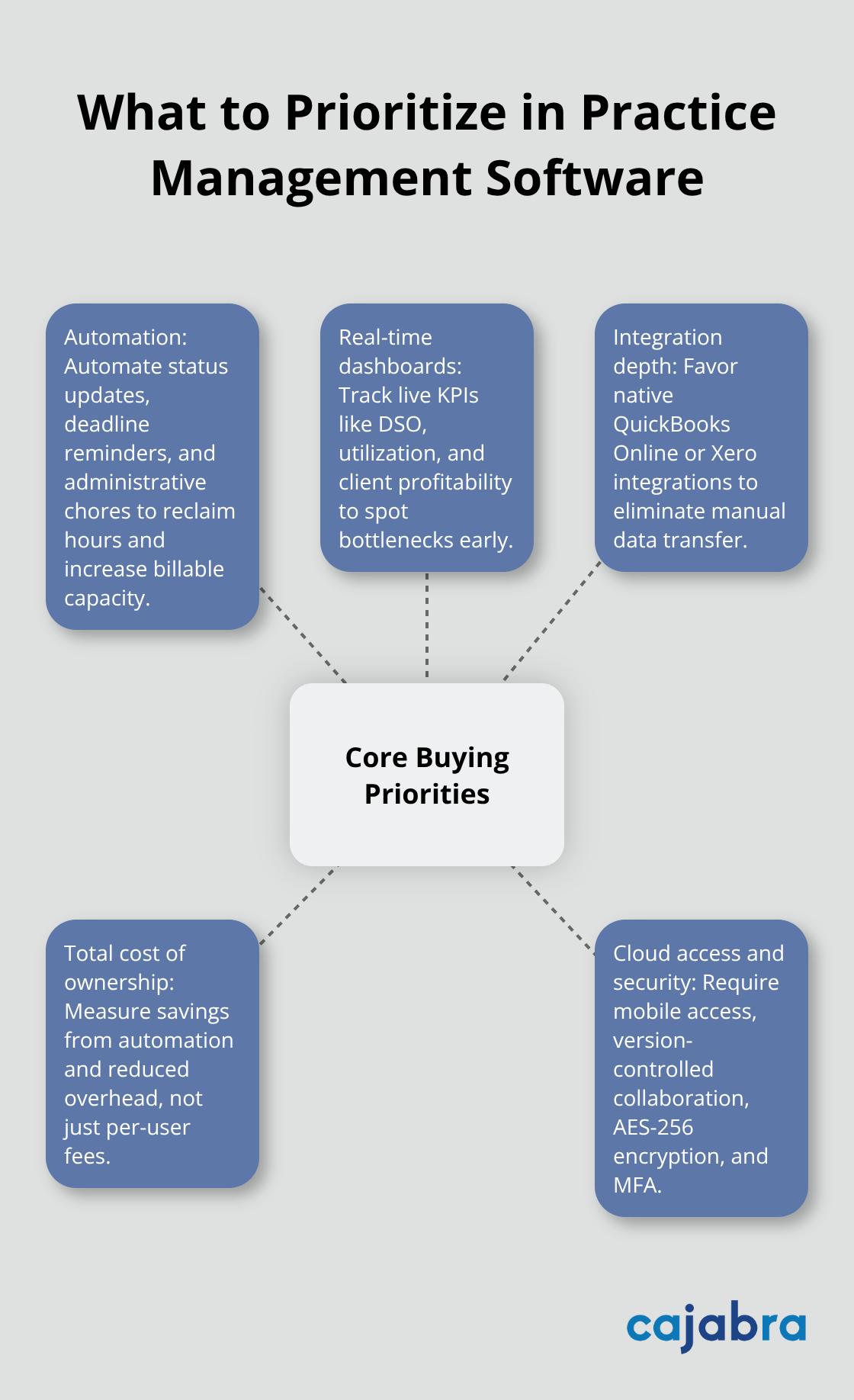
Task management, time tracking, and client portals are table stakes-every platform worth considering includes these. The real differentiator is whether the software automates the work that drains your team's energy. Automation of status updates, deadline reminders, and administrative chores saves firms hours each week, which translates directly to more billable capacity. Look for platforms that offer workflow automation with templates for recurring engagements. Karbon includes Automators that let you build custom workflows without coding, while TaxDome emphasizes Automove automated workflows that cut manual repetition.
The second critical area is reporting and analytics. A practice management tool that only shows you what happened last month is incomplete. You need real-time dashboards that surface KPIs-days sales outstanding, time utilization rates, client profitability-so you can spot bottlenecks before they become problems. BQE Core and Firm360 stand out here with built-in profitability analytics and real-time dashboards that show exactly where your team's time goes.
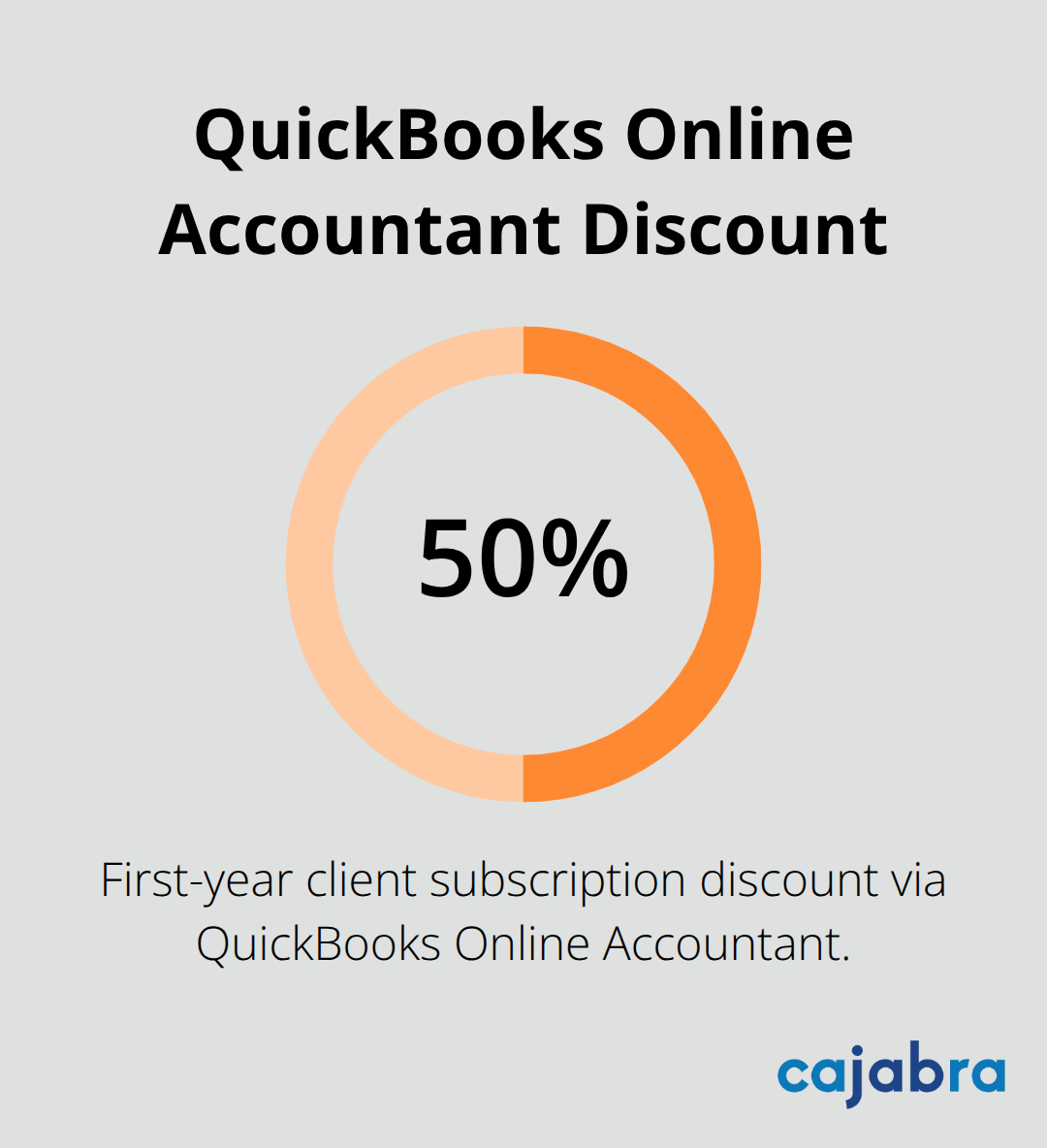
Most firms work within one accounting ecosystem: either QuickBooks Online or Xero. A platform that natively integrates with your primary accounting software eliminates the manual data transfer that kills efficiency. QuickBooks Online Accountant is free for your firm and offers discounted client subscriptions up to 50% in the first year, making it a cost-effective anchor. For time-based practices, native time tracking and invoicing integration are non-negotiable.
Senta and Karbon both handle time tracking well, but verify that invoices flow automatically into your accounting system to avoid double entry.
When you evaluate pricing, ignore per-user costs alone and calculate total cost of ownership. Practice management software can save thousands of dollars per year per employee through automation and reduced administrative overhead, but only if your firm has solid capacity planning, realistic pricing, and clear delegation first. Pricing flexibility matters too-some platforms charge per user, others per feature.
Cloud-based solutions dominate for good reason: they enable remote work, scale without infrastructure costs, and let your team access files and tasks from anywhere. Ensure any platform you consider supports mobile access, multi-user collaboration with version control, and strong security like AES-256 encryption and multi-factor authentication. These capabilities form the foundation for evaluating which solution will actually fit your firm's workflow and growth trajectory.
Karbon stands out as the strongest choice for firms serious about scaling. Users rated it 4.8/5 on G2, 4.7/5 on Capterra, and 4.7/5 on GetApp-real satisfaction scores that reflect actual user experience. The platform handles email triage directly from Gmail and Microsoft 365, so your team stops context-switching between email and your practice management tool. Karbon's workflow templates come pre-built for month-end close, client onboarding, and tax preparation. The Automators feature lets you customize them without touching code.
Time tracking integrates natively with Xero and QuickBooks Online, meaning your team logs hours once and invoices generate automatically. Real-time KPIs show exactly how many billable hours your team logged this week versus budget-the data you need to make hiring or workload decisions. For firms with remote teams, Karbon's cloud-native design and Teams integration keep your practice running smoothly whether your team works from the office or scattered across time zones.
TaxDome competes hard in the mid-market with Automove workflows that eliminate repetitive manual steps, unlimited cloud storage so you never worry about document limits, and a client portal that lets clients upload documents without email chaos. Built-in payment processing cuts collection time significantly. BQE Core takes a different approach by bundling project management, HR, expenses, and invoicing into one system with profitability dashboards that show which clients actually make money.
Firm360 appeals to accountants who hate complicated software, offering drag-and-drop file organization and automated workflows with real-time dashboards. Senta provides highly configurable templates and strong time tracking, though it lacks built-in invoicing so you'll integrate with your accounting system. Xero Practice Manager is powerful for Xero-only firms but its older interface and steep setup curve frustrate teams accustomed to modern software.
Your choice depends on whether you prioritize deep automation (Karbon), affordability with solid features (TaxDome), all-in-one simplicity (BQE Core), or maximum customization (Senta). Test any platform for at least 14 days before committing; a mismatch costs months of productivity and staff frustration. The right software amplifies your firm's strengths, but only when it matches your actual workflows and team preferences. Once you've narrowed your options, project management tools help you track tasks and deadlines to ensure nothing slips through the cracks.
Start by mapping your firm's actual workflow first, not what you think it should do. Most practices fail at software selection because they chase features they'll never use or ignore gaps in their actual workflow. Spend a week tracking where your team spends time: Are they buried in email managing client requests? Chasing down time entries from team members who forget to log hours? Manually creating invoices from spreadsheets? Do clients call asking for status updates instead of checking a portal? Write down the three biggest pain points that waste your team's time each week.
Then grade each platform against those specific problems. A firm doing mostly fixed-fee retainers has completely different needs than one billing by the hour, and a four-person practice scales differently than a twenty-person firm. Karbon works well for firms prioritizing email integration and automation, while BQE Core appeals to practices that want expense tracking and HR bundled in. TaxDome makes sense if your clients constantly email documents and you need to reduce portal friction.
The mistake we see repeatedly is picking software because it has every feature imaginable, then overwhelming your team during rollout because half those features sit unused. Your budget matters, but only after you've identified what actually solves your problems.
Download the free trial and run actual client work through software for 14 days. Don't use sample projects or dummy data. Pull a real month-end close, a tax engagement, or whatever your firm does most often, and walk through the entire process from task creation to invoicing. Assign work to team members, have them log time, generate an invoice, and see if it flows into your accounting system without manual intervention.
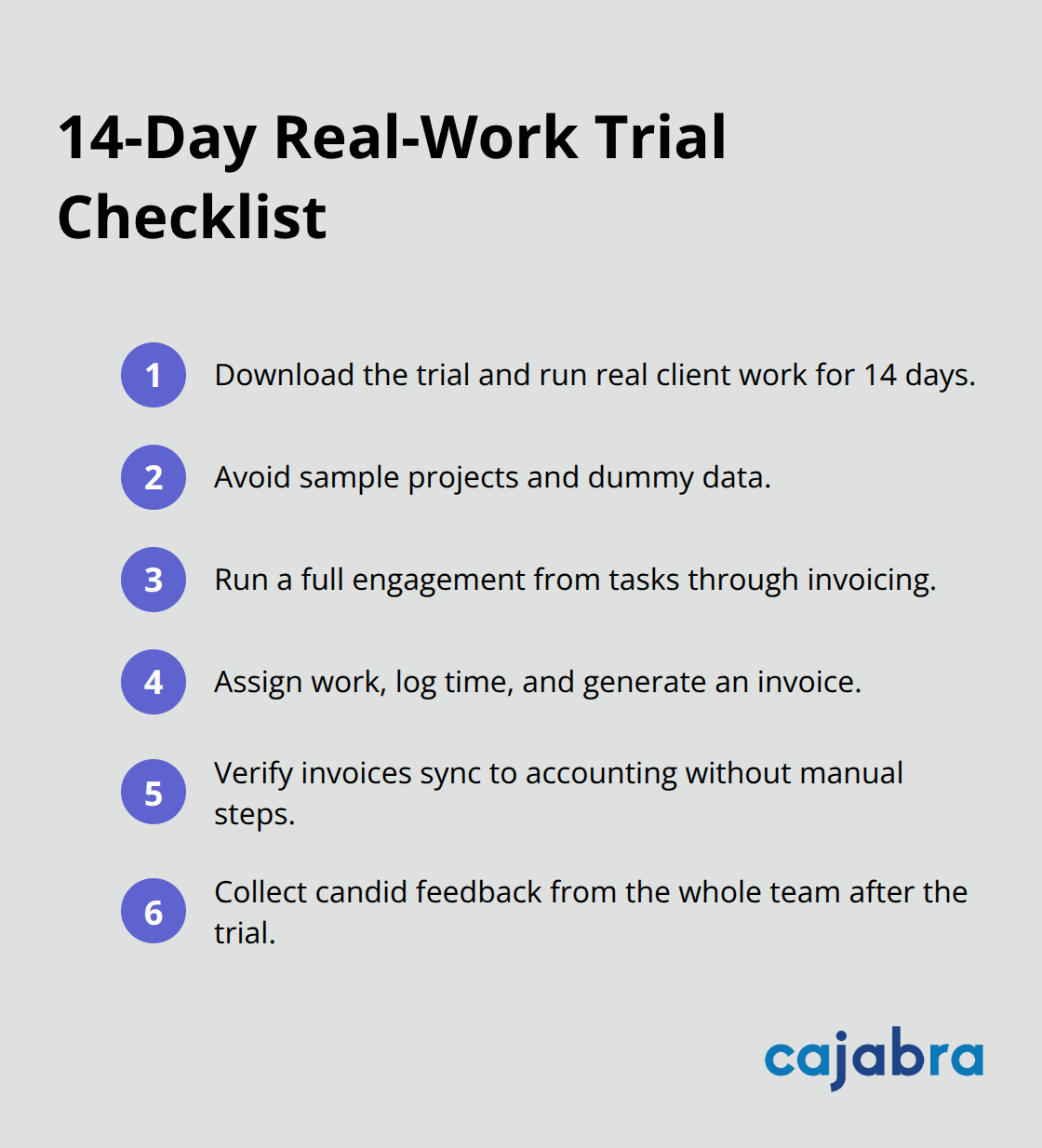
This reveals friction points that marketing materials hide. For instance, you might discover that time entry takes three extra clicks compared to your current system, or that the client portal requires passwords your clients find annoying. Ask your team for honest feedback after the trial ends, not just your practice leader. The people actually using the software every day spot usability problems immediately.
Implementation is where most firms lose momentum. Set a hard go-live date six to eight weeks out, assign one person to own the transition, and plan for temporary inefficiency. Your team will move slower for the first month while learning new workflows. Expect that productivity dips during the first 30 days as people adjust.
Plan your client schedules accordingly so you're not promising fast turnarounds while your team is learning. Run parallel workflows for the first two weeks if possible, meaning your team logs time in both the old system and the new one until everyone feels confident. This overlap costs extra effort upfront but prevents missed time entries or lost client data.
Ask vendors exactly how your data migrates and who handles the technical work. Some platforms charge thousands for data migration services; others include it. Ask about training and support during the first 90 days. Find out whether you get a dedicated onboarding specialist or a generic help desk.
Request references from three firms of similar size that implemented within the last year and actually call them to ask how the transition went. Ask whether the platform can handle your specific integrations with QuickBooks Online, Xero, or whatever your firm uses, and get written confirmation that integration works the way you expect.
Pricing should be transparent with no surprise add-on fees for features you'll actually need. Some vendors quote per-user monthly rates but then charge extra for admin access, reporting dashboards, or API integrations. Get everything in writing and clarify whether pricing increases annually and by how much. The contract should specify what happens if the platform doesn't work for your firm within the first 60 days. A reputable vendor will offer a refund or cancellation option if implementation fails, not lock you in for a year before you realize the tool doesn't fit.
Selecting the right accounting practice management software comes down to matching your firm's actual pain points with a platform that solves them. Map the three biggest workflow problems your firm faces this week, then download free trials from two or three solutions that address those specific issues. Run actual client work through each platform for 14 days and ask your team for honest feedback about usability and fit.
Once you've selected your tool, assign one person to own the transition and set a go-live date six to eight weeks out. Expect temporary productivity dips during the first month as your team adjusts to new workflows, and run parallel systems for two weeks if possible to prevent lost time entries or client data. Request references from similar firms, get all pricing and migration details in writing, and clarify what happens if the platform doesn't work within 60 days.
Modern accounting practice management software transforms firm operations when your team stops manually creating invoices, chasing time entries, and managing status updates through scattered emails. At Cajabra, LLC, we help accounting firms move from overlooked to overbooked by securing retainer-based clients through our JAB System, so you can focus on client service while we handle your marketing and position your firm as an industry leader. Visit Cajabra to learn how we maximize revenue from both new and existing clients.