

Your accounting website is often the first impression clients get of your firm. A poor user experience drives visitors away before they even learn about your services.
At Cajabra, LLC, we've seen firsthand how small UX improvements lead to real results. This post covers the practical changes that matter most for accounting websites.
Page load speed is not a nice-to-have for accounting websites. It's a conversion killer or a conversion driver, and there's no middle ground. Google research shows that 53% of visits are abandoned if a mobile site takes longer than 3 seconds to load. For accounting firms competing for high-value clients, that's unacceptable. When a prospect compares your firm to a competitor, a slow website signals that you're not tech-forward or detail-oriented. Fast sites communicate the opposite.
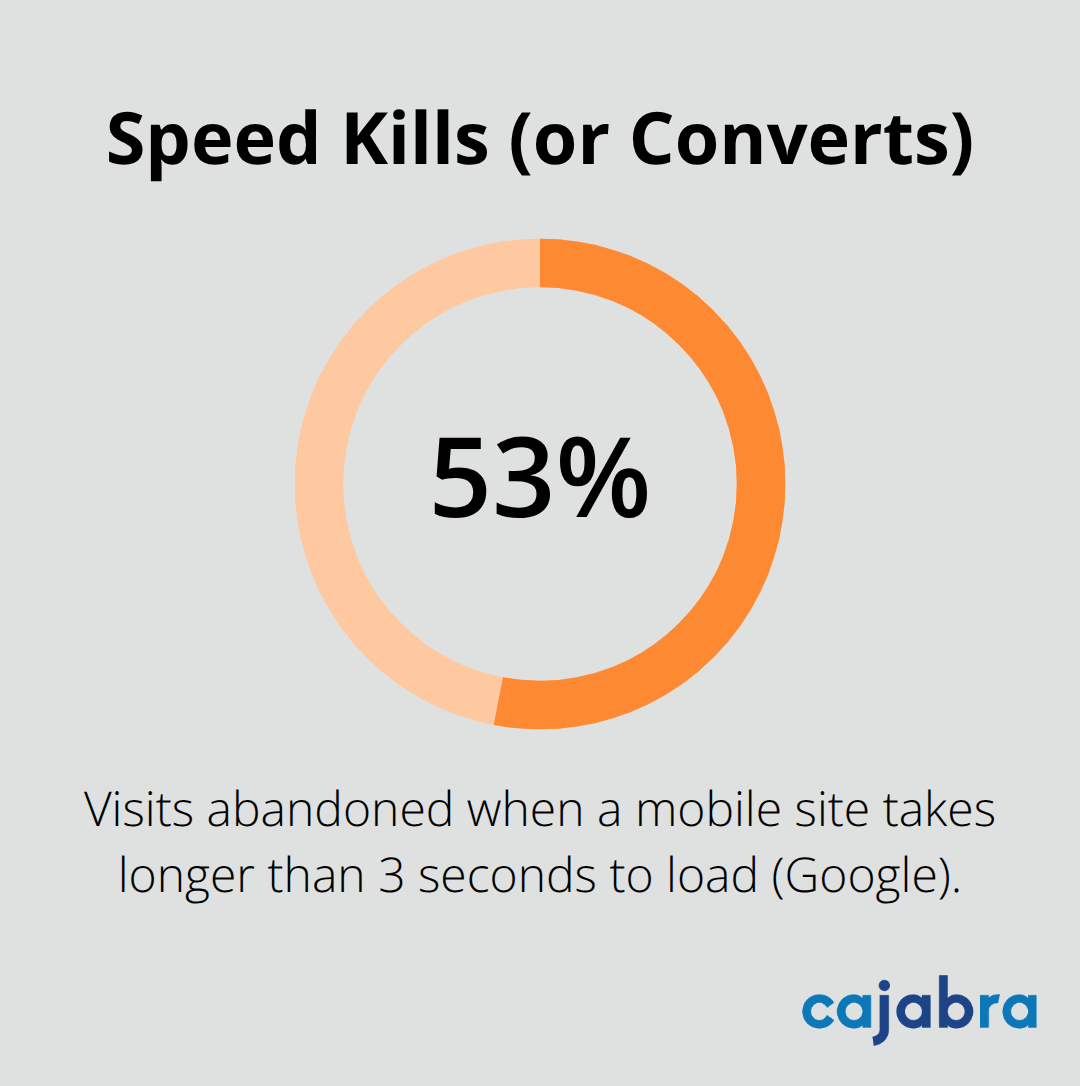
Mobile-optimized websites can improve conversion rates according to HubSpot, which means speed directly impacts your bottom line. The reality is that your accounting website must load in under 3 seconds on mobile, or you lose clients before they even see your services.
Images typically represent the largest contributor to slow page load times. Google PageSpeed Insights measures your actual performance on both mobile and desktop and flags what slows you down. Compress images aggressively by switching from PNG to JPEG where possible, and consider modern formats like WebP for even smaller file sizes. Minifying CSS and JavaScript removes unnecessary characters without changing functionality, which reduces file size immediately. This step alone often produces noticeable improvements.
A Content Delivery Network (CDN) serves your website from servers geographically closer to your visitors. This reduces latency and ensures faster delivery regardless of where your clients are located. CDNs work especially well for accounting firms with clients across multiple states or regions, as they eliminate the distance penalty that slows traditional hosting.
Test your site regularly using PageSpeed Insights, not just once, because performance degrades over time as you add content and plugins. Make speed a monthly checkup, not a one-time project. This ongoing attention prevents the slow creep that catches most firms off guard. Mobile performance directly determines whether prospects stay or leave.
Mobile devices account for over 60% of global web traffic, which means your accounting website must work flawlessly on phones or you lose the majority of your prospects before they see a single service page. The old approach of building for desktop and shrinking it down for mobile is dead. Accounting firms that still operate this way are leaving money on the table. Your website must be designed for mobile first, then scaled up to larger screens.
Touch targets need to be at least 48 pixels in size, not the tiny buttons that desktop designers often create. Prospects scroll your site one-handed while sitting in traffic or between meetings, so thumb-friendly navigation is non-negotiable. Test your site on actual phones, not just browser emulators. Use real devices like iPhones and Android phones to catch navigation problems that simulators miss.
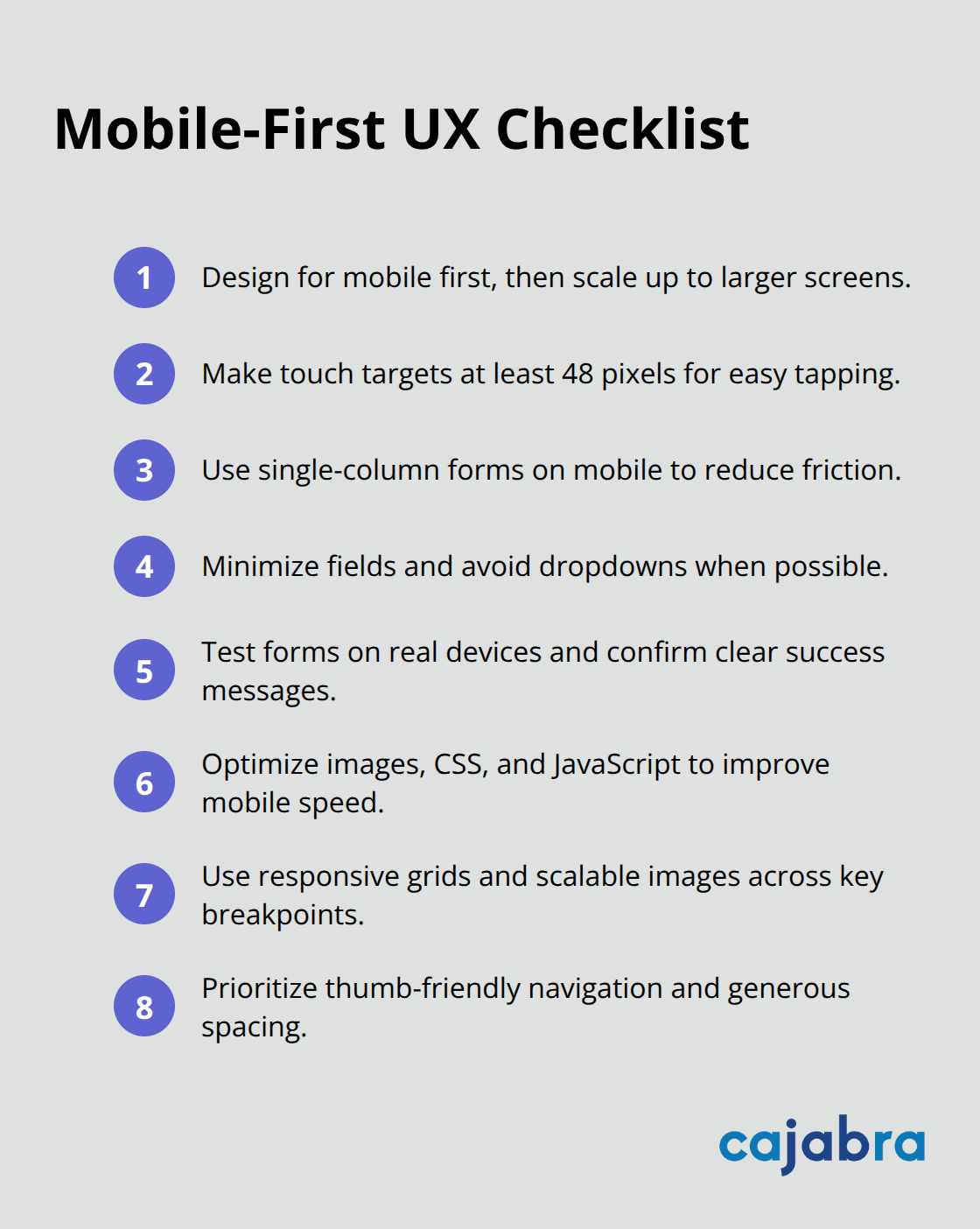
Pay attention to how buttons and forms feel to tap. If users have to zoom in to click a link, your navigation has failed. The spacing between clickable elements matters more on mobile than anywhere else. Cramped menus and overlapping buttons frustrate users and kill conversions.
Responsive design means your layout adapts automatically to different screen sizes without requiring separate mobile and desktop versions. Use flexible grids and scalable images that shift and reflow based on the viewport. Test your site across multiple breakpoints: mobile phones at 320 pixels and up, tablets at 768 pixels, and desktops at 1024 pixels and beyond. Your accounting website must serve these users flawlessly.
Forms deserve special attention on mobile because they kill conversions when poorly designed. Use single-column layouts for forms on mobile, avoid dropdown menus where possible, and reduce the number of fields ruthlessly. A five-field form converts better than a fifteen-field form, especially on phones. Test form submissions on mobile to ensure confirmation messages appear clearly and that users understand what happens next. Speed matters even more on mobile networks than on desktop connections, so every optimization you make to reduce page load times directly improves the mobile experience.
With mobile performance locked in, the next step is making sure visitors can actually find what they need. Clear navigation and logical information architecture transform a fast, mobile-friendly site into one that converts prospects into clients.
Prospects visiting your accounting website have limited patience. Nielsen Norman Group research shows that web pages are scanned using predictable patterns-either the F-pattern for text-heavy content or the Z-pattern for image-focused layouts. Your job is to align your site structure with how visitors actually scan, not how you think they should read. Most accounting websites fail here because they organize content around internal firm structure instead of client problems. You list tax services, accounting services, and advisory services as separate sections, but prospects don't care about your internal departments.
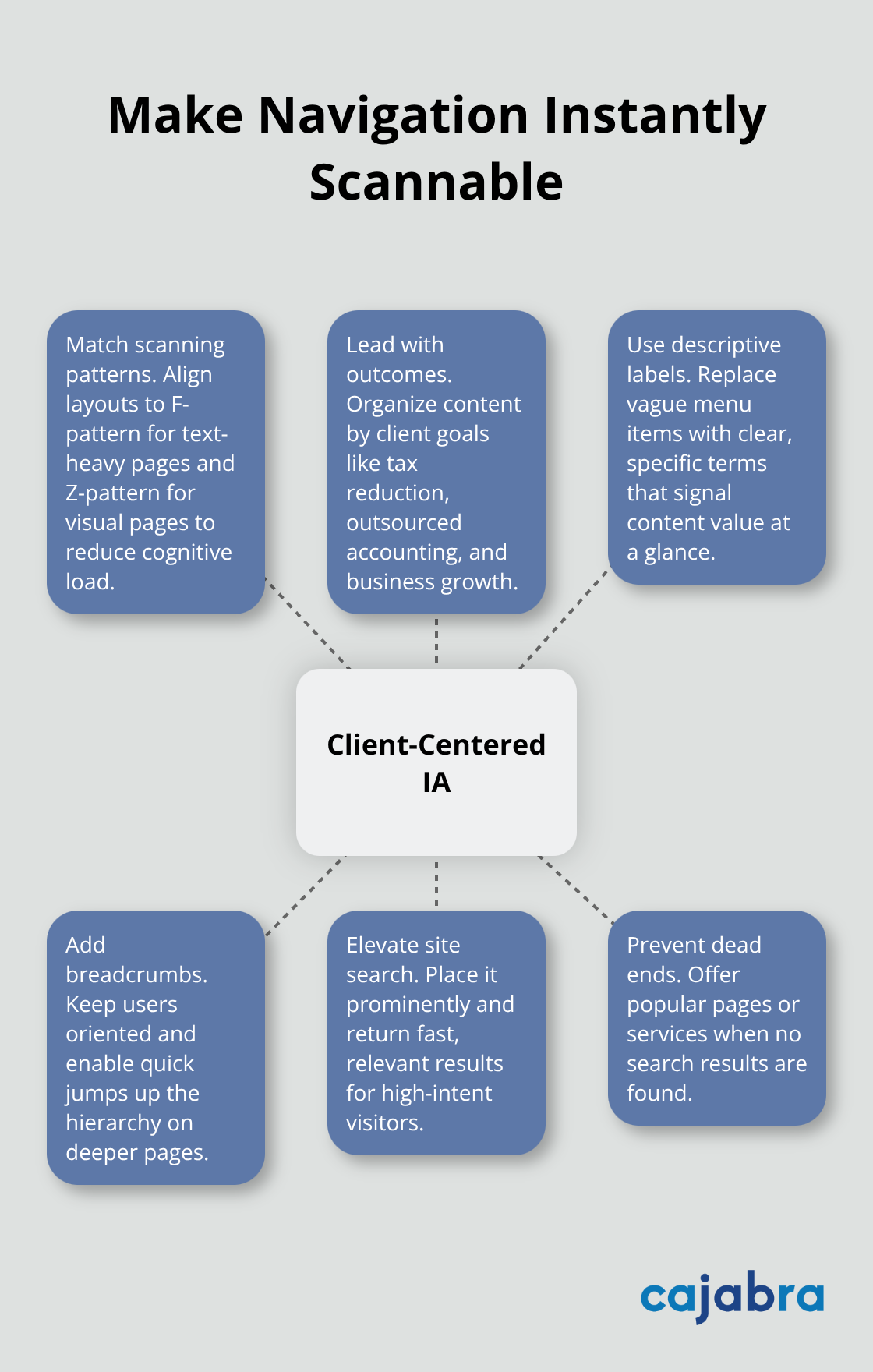
They care about outcomes: reducing their tax burden, simplifying their bookkeeping, or scaling their business. Reorganize your navigation to speak directly to client goals. Instead of generic labels like Services, use specific outcomes like Tax Reduction Planning, Outsourced Accounting, or Business Growth Advisory. This shift alone improves scannability and helps visitors understand exactly how you solve their problems in seconds, not minutes.
Descriptive labels matter more than clever naming. Avoid vague terms like Solutions or Insights. A prospect should know what they'll find before clicking, so use labels that clearly signal content: Tax Planning for Business Owners, Monthly Bookkeeping Services, or Payroll Management. Add breadcrumb navigation below your main menu so visitors always know where they are in your site structure and can jump back to parent pages without using the back button. This reduces friction and keeps users oriented, especially on deeper service pages. Visitors scan your navigation in milliseconds, so every label must communicate value immediately.
Many accounting websites skip search functionality entirely, assuming their navigation is clear enough. That assumption costs you conversions. Visitors who use search are closer to taking action than those browsing menus, so a functional search bar positioned prominently in your header captures high-intent prospects. Implement search that returns relevant results immediately, not a clunky page that requires additional filtering. Test your search by typing common questions prospects ask: How do you reduce my taxes? What does bookkeeping cost? Can you help with payroll? Your search results should surface relevant pages or blog posts that answer these questions directly. Poor search implementations frustrate users and signal that your site is outdated. A fast, accurate search function communicates that you're detail-oriented and user-focused, which matters for firms competing for high-value clients. Include a fallback option that suggests popular pages or services if search returns no results, so visitors never hit a dead end. This prevents abandonment and keeps prospects moving toward conversion instead of closing the tab.
The three areas covered in this post-speed, mobile design, and navigation-form the foundation of a high-performing accounting website. When you optimize page load times, your site stops bleeding visitors before they see your services. When you design for mobile first, you capture the majority of your prospects where they actually browse.
A fast, mobile-friendly site with clear navigation signals that you're detail-oriented, tech-forward, and client-focused. Prospects who navigate your site smoothly and find answers quickly contact you far more often than those who struggle with slow pages or confusing menus. Better user experience directly impacts how prospects perceive your firm and whether they choose to work with you.
Start with an audit of your current website using PageSpeed Insights to test mobile speed, then navigate your site on an actual phone to spot friction points. Pick one area to improve first-speed typically delivers the fastest wins-then move to the next. Cajabra offers a Premium Online Presence Package that handles website optimization and digital strategy so you can focus on client service.